Minimizing Distractions on Your Mac
So this little blog popped up a couple of weeks ago called Minimal Mac. Yeah, yeah Macs are minimal; we all know that right? Steve Jobs hates buttons, blah blah blah. Ok, but how about when you’re using them day to day?
As we’ve become more involved in the community I’ve been finding myself more and more distracted as of late. I’m trying to work, but there’s a new RSS feed I need to read. Or a new email that just came in. Twitter just never stops. Ever. There’s something about new stuff that gets us all excited and makes us feel like we need to see it now.
Being minimal doesn’t just mean taking things away…
Now, if you’re like us and have…oh I don’t know..projects to work on this can become a problem. You keep losing focus to check the onslaught of new stuff and make sure you haven’t missed anything. And that’s why I’m glad I ran across Minimal Mac when I did. It reminded me to keep things simple and minimize distractions.
So I’m going to take you through my distractions and show you how I’ve obliterated them. Please remember, being minimal doesn’t just mean taking things away. It means removing the things you don’t need or never use as well as those that can be a distraction to you getting crap done. Onwards!
The Desktop
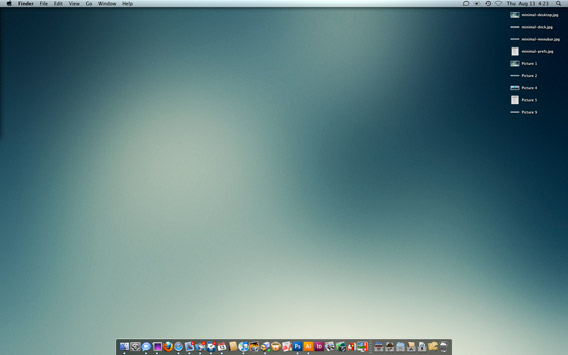
Some people like having cool pictures or family photos on their desktop, but I needed no distractions. I grabbed this lovely blurred out mess from Prettify (courtesy of Digitalshiva) and it feels great. Next I needed to get rid of my desktop icons. They were all pretty much shortcuts that I can get to from a new finder window. Now my desktop only has files I am working with. When I’m done they get filed or deleted. I’ve opted to hide any internal or external drives (in your Finder preferences), but show iPods, CD’s and Network servers when they’re attached. Mostly because that hardly ever happens.
The Menubar
 I love OS X’s menubar. Quick access to so many things. The problem was that after installing multiple programs, it was pretty full. I modified the day and time to include the date and took out everything else I didn’t use on a regular basis. The big one for me was Tweetie. I love the app, but that shiny blue box telling me there were new tweets awaiting just sucked my productivity. Quick tip, you can remove icons from the menu bar by holding Cmd and dragging them off. Poof, they’re gone.
The Dock

Oh man, the dock. I love the dock, but those little red badges kept calling to me. “Read me, read me! There’s new stuff down here!” Now I’ve resisted auto hiding my dock for years. Nate did it a long time ago, mostly because Logic took up his whole screen when editing and mixing music, but I kept telling myself I needed it to launch apps faster. Turns out those apps I was launching were the ones sapping my productivity! So I did it. It’s gone from sight. And it’s awesome. No more red badges getting me off task.
The Culprits
For me, it was 4 apps that were killing my productivity:
- NetNewsWire (or any RSS reader)
- Tweetie (or any twitter client)
- iChat
By removing their badges and notifications I’ve greatly limited my use of them and I’m enjoying much larger amounts of time devoted to actually working! I’ve even hidden my iChat buddy list so I’m not tempted to start up conversations.
The Results
Well, how about focus? Actually getting stuff done coherently without random links to that latest movie trailer interrupting you? Emails don’t have to be answered in 3 seconds, I promise. Finish what you’re doing. Check it off your list. Then take some time to catch up on all this other stuff. I’m finishing things faster and feeling much better about them because I’ve had the time and concentration to think through what I’m doing. Clients are happier, and I don’t feel like I’ve wasted the day.
This is what I ended up with. It’s like a blank canvas to start creating things, and I love it.
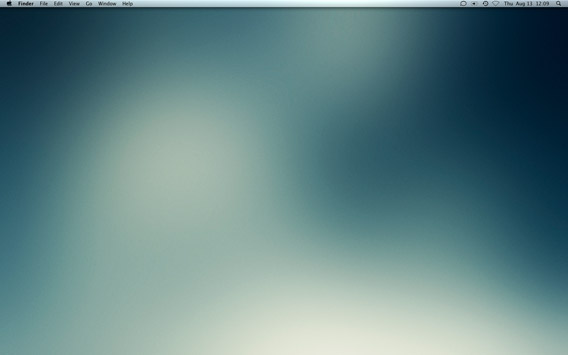
So what are you waiting for? Get rid of the things that distract you the most. There are much more extreme measure you can take, blocking URL’s for certain times of the day, being one, but this is working for me now. What about you? How do you get rid of your distractions?
Comments
1
Rex Stevens - Aug 13, 2009
2
shaun Tipson - Aug 15, 2009
3
Jesse - Aug 21, 2009
4
Chris - Sep 14, 2009
Jonathan Longnecker - Sep 14, 2009
6
Chris - Sep 14, 2009
7
Paul Olyslager - Oct 01, 2009
8
Irshad - Oct 01, 2012